Most platforms do not outgrow WordPress because it fails. They outgrow it because it becomes expensive to evolve. Payload CMS exists to solve exactly that problem: an application-first platform built for the systems WordPress was never designed to handle.
WordPress was built for content publishing. It is fast to deploy, widely supported, and cost-efficient for content-driven websites. But as platforms grow, adding user authentication, structured workflows, external integrations, and complex business logic, the cost of maintaining WordPress as the foundation compounds quietly until it becomes the constraint.
Payload CMS is built for a different category of system. It is an application-first platform where content management is one component inside a broader architecture, not the entire foundation.
This guide covers what actually changes when platforms reach the WordPress ceiling, what switching to Payload CMS involves, and how to evaluate whether the transition is the right decision for your system.
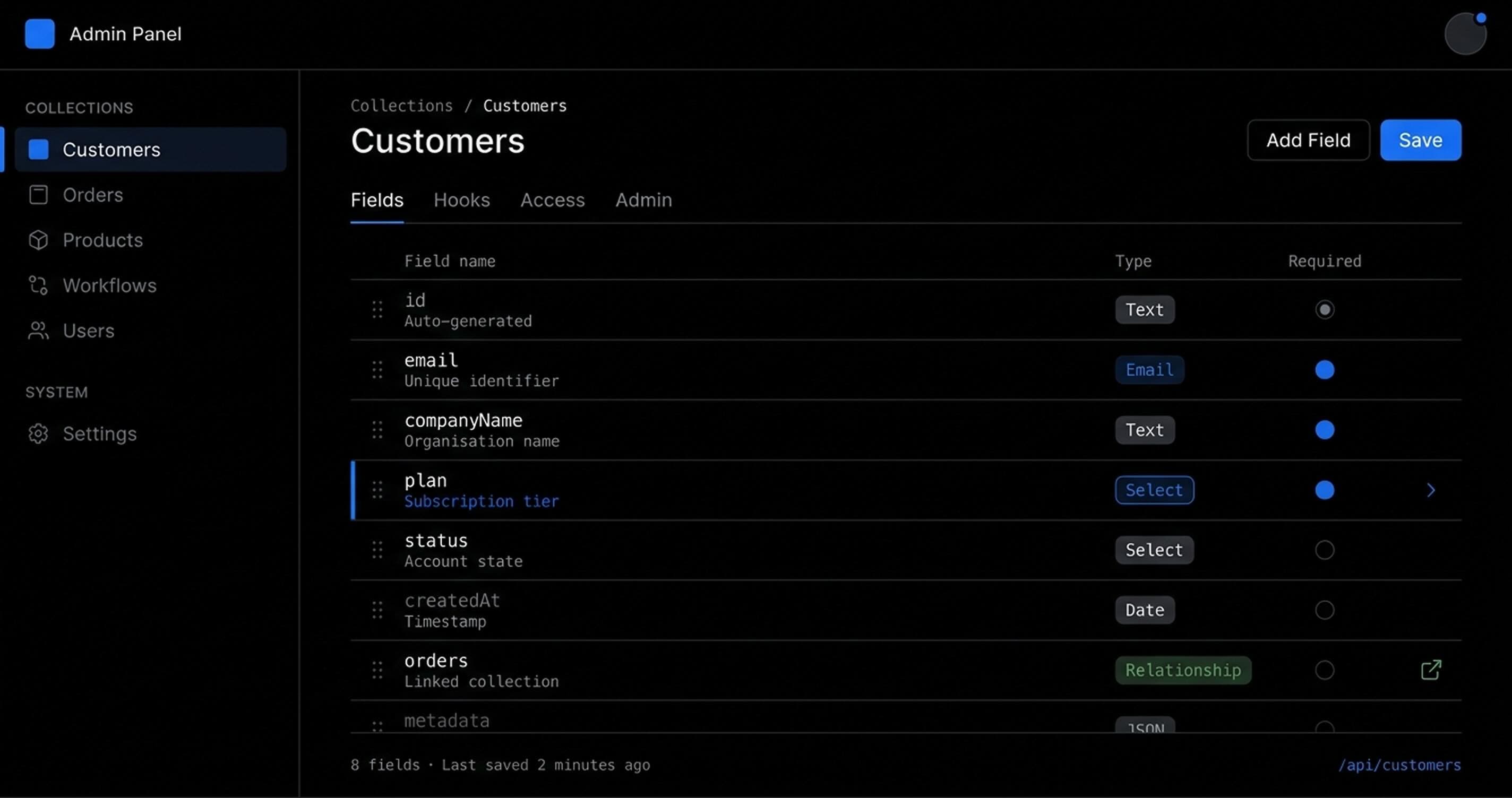
Where WordPress Starts to Increase Long-Term Cost
Understanding when to switch starts with recognizing the cost patterns that emerge as WordPress is pushed beyond its intended scope.
1. System fragmentation increases operational overhead
As platforms grow, WordPress is often no longer the only system in use. It becomes part of a broader ecosystem that includes customer-facing applications, CRMs, external APIs, and internal business systems.
Over time, this creates a distributed architecture where teams must maintain and synchronize multiple systems independently. The result is increased coordination cost and more potential failure points.
2. Engineering effort shifts from building to maintaining
As requirements grow, teams often extend WordPress beyond its intended scope through custom plugins, advanced ACF structures, bespoke REST API layers, and workaround-driven architecture.
This leads to a predictable shift: engineering teams spend more time maintaining system behavior than shipping new features.
3. Change risk increases over time
In mature WordPress environments, even small changes can introduce unexpected side effects due to plugin dependencies, theme coupling, database constraints, and upgrade compatibility issues.
This creates a hidden cost in every release cycle: uncertainty in what will break when something changes.
When Payload CMS Becomes the Right Foundation
Payload CMS becomes relevant when your platform stops functioning as a content system and starts behaving like software.
At that point, you are no longer managing pages. You are managing users, workflows, permissions, structured business data, and transactional processes.
Common scenarios where this transition occurs:
- SaaS platforms
- Customer portals
- Booking and application systems
- Internal operational tools
- Marketplaces
- Workflow-heavy enterprise platforms
At this stage, content is no longer the system. It is one component inside a larger application.
Why Teams Switch to Payload CMS (Business Perspective)
The decision to move toward Payload CMS is usually driven by three long-term pressures:
1. Reduced engineering friction at scale
Instead of forcing a CMS to adapt to application logic, Payload allows systems to be designed around the actual business model. Because Payload schemas are defined as typed TypeScript configurations, not as plugin metadata or serialised post_meta rows, field relationships, validation rules, and access control are explicit in the codebase. This eliminates the implicit dependencies that cause regression in extended WordPress environments and accelerates delivery of new features.
2. Lower integration risk across systems
As platforms scale, integration points multiply: authentication, payments, external APIs, internal services. Because Payload runs inside the same Node.js process as the application, authentication state, business logic hooks, and API endpoints share a single runtime context. There is no REST-to-REST proxy, no webhook relay, and no external plugin bridge to maintain. This reduces synchronization issues and production instability.
3. More predictable iteration after system maturity
Payload requires more upfront engineering effort than WordPress. However, once the system structure is defined, changes become more predictable because the system is explicit rather than implicit. Development shifts from reasoning about how an existing CMS behaves in edge cases to safely modifying a well-defined application structure.
Migration Risk: What Actually Changes When Switching From WordPress to Payload
This is where most of the real decision risk lives. Migration is not a CMS swap. It is a re-platforming exercise with architectural implications.
1. Content model redesign: Impact: Medium to High
WordPress structures content loosely using posts, pages, and metadata. Payload requires explicit schema design. Engineers must redesign content structures as typed data models, convert metadata into typed fields, and define relationships explicitly. This is not a lift-and-shift operation. It is a redesign of how content is structured. The impact is especially significant in systems using ACF, custom post types, or page builders.
2. Frontend reconstruction: Impact: Medium
In most modern migrations, WordPress themes are replaced with a component-driven frontend architecture built on React or Next.js. This introduces UI reconstruction effort, SEO preservation requirements, URL mapping and redirect strategy, and content preview workflow rebuild. This is often where timelines expand if not planned correctly.
3. Content cleanup and normalization: Impact: High
Most mature WordPress installations contain legacy plugin data, unused fields, inconsistent metadata structures, and duplicated or orphaned content. Migration typically requires data mapping, schema normalization, and selective content extraction. The older the WordPress installation, the higher the cleanup effort.
4. Editorial workflow change: Impact: Medium
Even if the system is technically improved, editorial teams must adapt. WordPress users often lose familiar page builders, established publishing workflows, and plugin-based editing flexibility. Adoption success depends on how well the new system supports editorial operations.
5. Operational ownership: Impact: High
WordPress is often partially abstracted through hosting providers and plugins. Payload shifts ownership fully to engineering teams: infrastructure management, deployment pipelines, database operations, and system versioning. This increases control, but also increases responsibility. Teams without DevOps maturity should factor this into their platform engineering decision.
Is your platform outgrowing its current CMS architecture?
Share your system's current constraints and product roadmap. We will assess where the architecture is creating friction and map the structural transition to a scalable, application-first platform.
Is Payload CMS Proven at Scale?
A common concern is whether Payload is enterprise ready. The more relevant question is not maturity. It is architectural fit.
Payload is built on Node.js, supports PostgreSQL and MongoDB, and deploys to containerised environments including Vercel, Railway, and AWS ECS. It is already used in production systems, particularly in SaaS and custom platform environments where flexibility and structure matter more than plugin ecosystems.
The key distinction is: WordPress is a publishing system. Payload is an application layer that includes content management.
Decision Framework: WordPress or Payload CMS
Stay with WordPress if:
- Content publishing is the primary function
- Marketing teams are the main users
- Speed and cost are the primary constraints
- System complexity is low
Switch to Payload CMS if:
- Your product behaves like software
- Users interact with workflows, not just pages
- Multiple systems must integrate cleanly
- Your platform is expected to evolve significantly
Closing Perspective
This is not a comparison between old and new technology. It is a question of system design alignment.
WordPress is optimized for publishing systems. Payload CMS is optimized for application systems that include content. As complexity increases, forcing a publishing-first system into an application-first role introduces long-term operational cost.
The decision is not about technology preference. It is about reducing friction across the full lifecycle of your platform.
Frequently Asked Questions

John Hanna
Founder & Principal ArchitectJohn is the founder of BehindPixels and leads its architectural direction and systems strategy. With 22 years of engineering and operational leadership across fintech, pharmaceutical, tourism, retail and B2B operations, he partners with high-growth SaaS platforms and enterprise teams to architect resilient cloud infrastructure, structured API layers, and precision-engineered digital products built for long-term operational scale.